
- First access below URL on Edge or Google chrome browser.
you will see below screen.
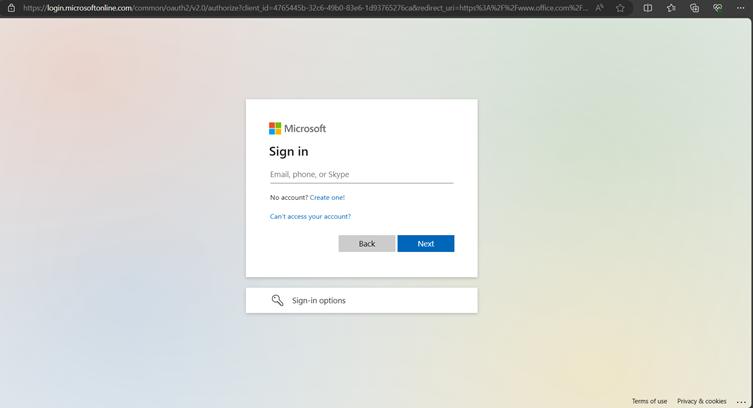
- Enter your email id and then click on next then enter your password you will see below screen.
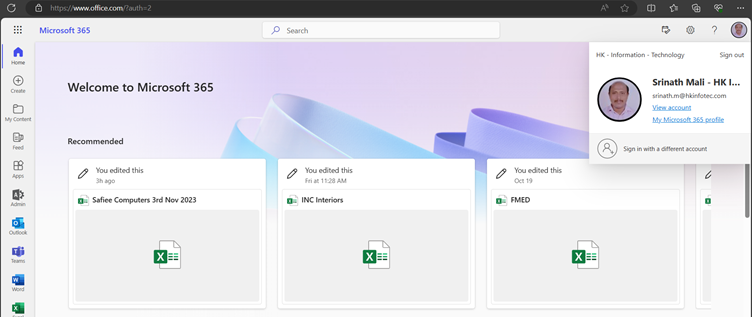
- In right side on your Photo click on View Account you will see below screen.
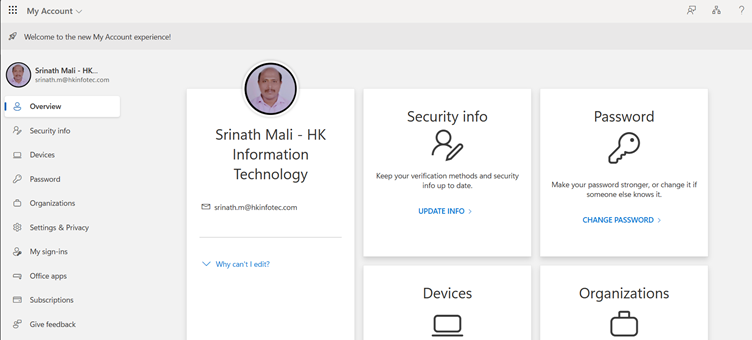
- In the left side you will see Password click on it you will see below screen
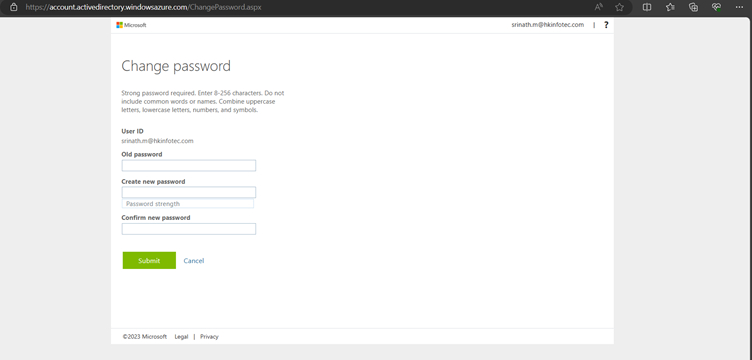
- Enter your current password and create the new password and confirm password then click on submit your password will be changed successfully.